


Timelapse Camera FAQ's
This FAQ section covers the most common questions people have when planning and setting up a timelapse camera project, based on real-world experience from construction, infrastructure and long-term site monitoring.
The answers are designed to help you choose the right timelapse camera, set the correct capture interval, plan battery life, understand remote access options, and avoid the most common setup mistakes that can affect image quality or cause gaps in footage.
If you are new to timelapse photography, these questions will help you understand key decisions such as which camera type to choose, how scheduling works, how long batteries last, and what level of maintenance your project will require.
Every answer is written to reflect practical use in real projects rather than theoretical specifications, so you can plan your setup with confidence and reduce the risk of downtime during capture.
If you still have questions after reading this section, you can contact our team on 0330 058 8318 for advice on selecting and configuring the right timelapse solution for your project.
There are so many time lapse cameras available, where do I start?
Choosing the right timelapse camera can feel overwhelming, especially when there are so many models offering different features, power options and levels of remote access. The good news is that most projects can be narrowed down by answering three simple questions:
First question, how long will the project last?
Project duration is one of the biggest factors when choosing a timelapse camera. A short-term project lasting a few days or weeks may only require a battery-powered camera with a standard memory card. However, longer projects lasting several months or even years may require larger storage capacity, external power or a solar-powered solution.
As a general rule, projects lasting more than six months should be planned carefully to ensure battery changes, maintenance visits and storage requirements are considered from the outset.
Secondly, what will the finished video be used for?
Think about the purpose of the final timelapse video before selecting a camera.
If the footage is being used for internal project updates, basic documentation or social media content, a standard HD timelapse camera may be sufficient. However, if the footage will be used for client presentations, marketing campaigns, promotional videos or broadcast-quality content, it may be worth investing in a higher-resolution camera capable of producing sharper images and more professional results.
The quality of the source images ultimately determines the quality and flexibility of the finished video.
Lastly, where will the camera be installed?
The camera location often determines whether you need remote access, solar power or additional weather protection.
For cameras installed in easily accessible locations, a compact battery-powered camera may be all that's required. However, if the camera will be mounted on a construction site, rooftop, remote infrastructure project or any location that is difficult to access regularly, a remote-access camera can save significant time and maintenance costs.
Connected cameras allow you to view images remotely, monitor camera health, check battery levels and adjust settings without visiting the site.
Other factors to consider
Once you've answered the three questions above, you can begin narrowing down your options based on:
- Image resolution requirements
- Battery life expectations
- Remote access requirements
- Solar power compatibility
- Weather resistance
- Storage capacity
- Project budget
In our experience, the most common mistake is choosing a camera based solely on image quality while overlooking practical considerations such as power supply, maintenance requirements and site accessibility. A camera that perfectly suits the environment and project duration will often deliver better long-term results than simply selecting the highest specification available.
If you're unsure which camera is right for your project, start by defining the project duration, intended use of the final video and installation location. These three factors will usually identify the most suitable timelapse camera for the job.
What is a capture interval and what is the recommended interval?
A capture interval is the amount of time between each photo taken by a timelapse camera. For example, a 5-minute capture interval means the camera will take one image every five minutes throughout the duration of the project.
Choosing the correct capture interval is one of the most important decisions when setting up a timelapse camera because it directly affects the smoothness of the finished video, battery life, storage requirements and the total number of images captured.
Shorter intervals capture more detail and are ideal for fast-moving subjects where changes occur frequently. Construction activities such as crane lifts, concrete pours and building installations often benefit from intervals between 1 and 5 minutes. Landscaping projects, events and demolition projects may also require shorter intervals to ensure important activity is not missed.
Longer intervals are generally better suited to long-term projects where changes happen more gradually. For example, a 12-month construction project may only require a 5 to 10-minute interval to produce a professional-quality timelapse while significantly reducing storage usage and extending battery life.
As a general guideline, we typically recommend:
• 1-2 minute intervals for fast-moving projects and short-term activities
• 3-5 minute intervals for most construction timelapse projects lasting up to six months
• 5-10 minute intervals for projects lasting longer than six months
• 15 minutes or more for very long-term environmental or infrastructure monitoring
One of the most common mistakes we see is users selecting an interval that is unnecessarily short. While capturing an image every minute may sound appealing, it often creates far more images than required, increasing storage requirements and reducing battery life without delivering a noticeable improvement in the final video.
If you're unsure which capture interval to choose, it's usually better to start slightly longer than you think you need. Modern timelapse cameras can still produce smooth, professional-looking videos while capturing significantly fewer images.
Can I schedule the time lapse camera to capture footage for specific days / times?
Yes. Most modern timelapse cameras allow you to fully control when they are active, meaning you can schedule exactly which days and time windows the camera should capture images.
This is particularly useful for projects where activity only happens during specific working hours. For example, on construction sites, you may only want images captured during site operating hours to avoid wasting storage on overnight or weekend inactivity.
A common setup would be:
- Capture one image every 5 minutes
- Only between 9:00am and 5:00pm
- Monday to Friday only
This approach ensures the timelapse reflects actual work progress while significantly reducing the number of unnecessary images captured outside active periods.
Many cameras also allow multiple or “dual” schedules. This means you can set different capture patterns for different times of the day or different days of the week. For example, you might use a 2-minute interval during active construction hours and switch to a 10-minute interval during quieter periods such as early mornings or late afternoons.
Some advanced systems also include burst or event-based modes. These allow the camera to take multiple images in quick succession when triggered, which can be useful for capturing short but important activities such as crane lifts, deliveries, or key installation moments.
Scheduling also has a direct impact on battery life and storage usage. By limiting capture to relevant hours, you reduce the total number of images significantly, which can extend battery life and reduce the need for frequent maintenance visits on long-term projects.
If you're setting up a timelapse for the first time, a simple weekday-only schedule is usually the best starting point. You can always refine it later once you understand how active the site actually is.
What is a compact time lapse camera?
A compact timelapse camera is a self-contained camera system designed for simple, long-term deployment where reliability and low maintenance are more important than advanced connectivity or real-time monitoring.
In most cases, compact timelapse cameras use removable batteries—typically AA batteries or rechargeable battery packs—and record images onto an SD card. This makes them easy to install, operate and maintain without requiring permanent wiring or network connections.
The main advantage of compact systems is their simplicity. Once set up, they can run independently for weeks or months depending on the capture interval, battery type and environmental conditions. This makes them ideal for projects where the camera needs to be installed and left to operate with minimal intervention.
Because they are not constantly transmitting data or relying on mobile networks, compact cameras are often more energy efficient than connected alternatives. This allows them to perform well in locations where power access is limited or where installing solar or wired power would be impractical.
However, the trade-off is that compact timelapse cameras usually require physical access to retrieve footage or replace batteries and SD cards. This means maintenance visits must be planned in advance, especially for longer projects.
These cameras are commonly used for construction monitoring, residential builds, landscaping projects, and short-to-medium term site documentation where occasional site visits are already part of the workflow.
They are often described as “set and forget” devices, but in practice they still require basic planning around battery life, storage capacity and capture interval settings to ensure uninterrupted operation throughout the project.
If remote access, live monitoring or instant image retrieval is required, a connected or 4G-enabled timelapse camera is usually a better fit than a compact system.
What is a remote access time lapse camera?
A remote access timelapse camera is a connected camera system that allows you to monitor, control and retrieve images from a project site without needing to physically visit the location. These cameras typically operate using WiFi or 4G mobile networks and upload images automatically to a secure cloud platform.
The key advantage of a remote access system is visibility. Instead of waiting until you collect the SD card or visit the site, you can log into a portal from anywhere in the world and view progress in near real time. This is especially useful for construction projects, infrastructure work, or multi-site developments where regular site visits are difficult or time-consuming.
In addition to image access, most remote timelapse systems also allow you to:
- Check camera status (battery level, storage usage, connectivity)
- Adjust capture intervals remotely
- Receive alerts if the camera stops working or loses connection
- Download images or generate timelapse videos directly from the cloud platform
Because these cameras transmit data regularly, they are often paired with solar panels or external power sources to ensure continuous operation on long-term or remote installations. This makes them highly suitable for locations without easy access to mains electricity.
Remote access timelapse cameras are particularly valuable for projects where stakeholders need frequent updates. For example, construction managers, clients, and marketing teams can all monitor progress without waiting for manual data collection.
The main limitation is that they are more complex and typically more expensive than compact, standalone timelapse cameras. They also depend on network coverage, meaning a stable WiFi or 4G signal is required for reliable performance.
Overall, remote access systems are best suited for long-term or high-value projects where real-time visibility and reduced site visits justify the additional cost and setup complexity.
How often should I check on my time lapse camera?
The ideal maintenance schedule for a timelapse camera depends on the type of system you are using, the project duration, and the capture settings.
For cameras in a compact, battery-powered range, a monthly maintenance check is generally recommended as a minimum. This ensures the camera is still operating correctly, the battery level is within expected limits, and the SD card has sufficient storage space remaining. Regular checks also allow you to confirm that the camera has not been moved, obstructed, or affected by environmental conditions such as weather or site activity.
The actual frequency of maintenance should always be planned around your capture interval and expected battery life. For example, a camera set to take images every 1–2 minutes will consume power and storage much faster than one set to 10–15 minute intervals. Understanding these settings in advance allows you to align site visits with realistic operational limits rather than reacting after a failure occurs.
For longer-term projects, it is often useful to calculate expected run time at the beginning of the installation and schedule maintenance visits accordingly. This reduces the risk of missing important periods of activity due to a full SD card, depleted battery, or unforeseen technical issue.
Where regular site visits are difficult, costly, or unsafe, a remote access timelapse camera becomes a more practical option. These systems allow you to monitor camera status, battery levels, and image capture remotely, significantly reducing the need for physical inspections.
As a general rule, if you cannot reliably visit the site at least once per month, or if the project is mission-critical, a connected system with remote monitoring will usually provide a more dependable solution than a standalone compact camera.
How long will the batteries last?
Battery life for a timelapse camera is not a fixed figure because it depends heavily on the camera model, capture settings, and how the system is powered.
In compact, battery-powered timelapse cameras using standard AA batteries or internal rechargeable packs, battery life can range from as little as a few days to several months. At the high-usage end of the scale, short capture intervals (such as 1–2 minutes), cold weather conditions, and high-resolution image settings will significantly increase power consumption. At the more efficient end, longer intervals (5–15 minutes) and moderate resolution settings can extend runtime substantially.
The capture interval is usually the single biggest factor affecting battery performance. A camera taking an image every minute will consume power far faster than one capturing every 10 minutes, even if all other settings are identical. This is because the camera must repeatedly wake, process, and store each image.
Environmental conditions also play a major role. Cold temperatures can reduce battery efficiency, particularly in winter construction environments, while extreme heat can also impact long-term performance. For outdoor installations, this should always be factored into expected runtime rather than relying on ideal conditions.
For long-term or remote installations, solar-powered timelapse systems can extend battery life dramatically. When correctly configured with appropriate solar panel sizing and efficient capture settings, these systems can operate continuously for years without requiring battery replacement, making them suitable for multi-year construction and infrastructure projects.
In real-world use, most compact timelapse projects fall somewhere between a few weeks and several months of battery life, depending on how the camera is configured. Solar-assisted systems, by contrast, can achieve near-continuous operation across the full duration of long-term builds.
To avoid unexpected downtime, it is always best to calculate battery life based on your chosen capture interval and site conditions rather than relying on maximum manufacturer estimates. This ensures the camera continues capturing throughout the full project without interruption.
Do time lapse cameras take images or videos?
Timelapse cameras are designed to capture a series of individual still images at set time intervals, rather than recording continuous video like a standard video camera.
These images are taken automatically at your chosen capture interval (for example, every 1, 5 or 10 minutes). Over time, this sequence of images is then combined—either by the camera itself or through associated software—to create a smooth timelapse video showing gradual change over the duration of a project.
The exact workflow depends on the type of timelapse camera being used:
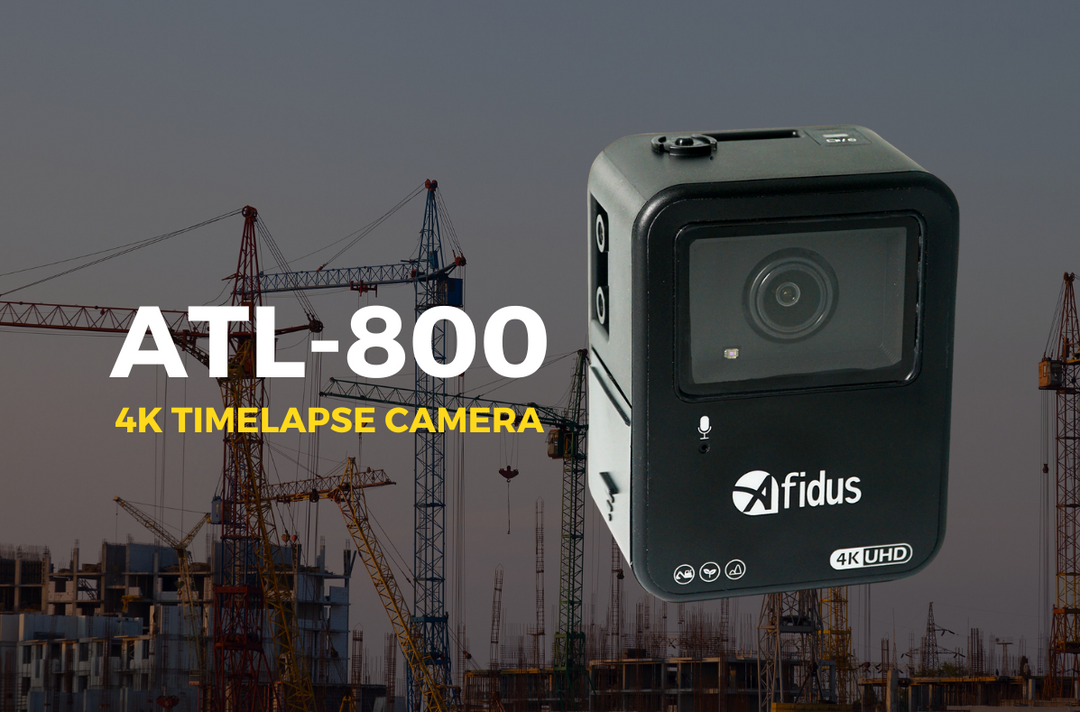
Compact timelapse cameras, such as models from Atli, Brinno and Afidus, typically process and compile the images internally. In many cases, you will only have access to the final timelapse video file rather than the individual source images. This makes them simple to use and ideal for users who want a ready-to-use output without additional editing.
More advanced connected systems, such as Enlaps, GabrielCam and Infinity range cameras, usually provide full access to the individual images through a cloud platform. This allows users to download the raw image sequence, adjust settings, and generate multiple versions of the timelapse video with different speeds, crops, or resolutions.
The key difference between these systems is control versus simplicity. Cameras that store and process images internally prioritise ease of use, while cloud-based systems prioritise flexibility and post-production control.
In both cases, the underlying principle is the same: timelapse photography is built from a long sequence of still images captured consistently over time, which is what creates the final accelerated video effect.
Are the time lapse cameras weatherproof?
Most timelapse cameras are not fully weatherproof on their own and require a protective housing or weatherproof case to operate safely outdoors.
In many systems, the camera unit is designed for indoor or protected use, while the weatherproof case provides the necessary protection against rain, wind, dust and changing environmental conditions. This setup is common in construction and outdoor monitoring projects where cameras need to remain in place for long periods.
In most cases, a weatherproof enclosure is included with the camera system, especially for construction-focused timelapse solutions. However, this is not universal across all brands, and some entry-level systems require the case to be purchased separately.
There are exceptions. Certain advanced models, such as the Tikee range, are designed to operate in outdoor conditions without the need for additional housing. These systems are built specifically for long-term environmental exposure and can withstand rain and harsh weather as part of their standard design.
For other camera ranges, including many compact systems, the level of protection depends heavily on the quality of the case used. A properly sealed housing is essential not only for protecting against water ingress but also for maintaining consistent performance across seasonal temperature changes.
When selecting a timelapse camera for outdoor use, it is important to consider both the camera itself and the protective system it relies on. Even weather-resistant setups should be checked periodically to ensure seals remain intact and mounting points are secure, especially on long-term construction sites.
In short, most timelapse cameras can be used outdoors, but only when paired with the correct weatherproof housing unless they are specifically designed as fully outdoor-rated systems.
Can I get support setting these up?
Yes. Support is available to help you choose, configure and install your timelapse camera system so it performs correctly from the start.
Setting up a timelapse camera involves more than just mounting the device. Key decisions such as capture interval, scheduling, power setup, storage capacity, and camera positioning all affect the final result. Getting these settings right at the beginning helps prevent common issues such as missed frames, poor framing, battery failure, or unnecessary site visits.
For this reason, we provide direct support to help guide you through the setup process based on your specific project requirements. This can include advice on selecting the right camera model, configuring optimal settings for your project duration, and ensuring the installation is suitable for the environment and access conditions.
Support is especially valuable for larger or long-term projects where factors such as remote access, solar power, or restricted site access need to be considered in advance. In these cases, proper setup planning can significantly reduce maintenance requirements and improve reliability over the full duration of the project.
If you need help, you can contact the team directly on 0330 058 8318 to arrange a discussion or setup session tailored to your project